


Little Stories: Bedtime Books
4.9483.00 Reviews
App Specs
- Version
- 5.5.7
- Updated On
- License
- Free
- Downloads
- 5,000,000+
- Developer
- Diveo Media - Story Books for Kids
- Categories
- Parenting
- Platform
- Android, iOS
Screenshots

 Analysis by AppCompare
For me, bedtime stories work best when they feel like a shared pause rather than one more task to get through. That is the appeal of Little Stories: Bedtime Books: it gives parents a story-focused option for winding down with a child, with illustrations and audio as part of the reading experience. I’d treat it as a tool to make a familiar routine easier, not as a replacement for an adult reading and talking with a child.
From choosing a story to settling down
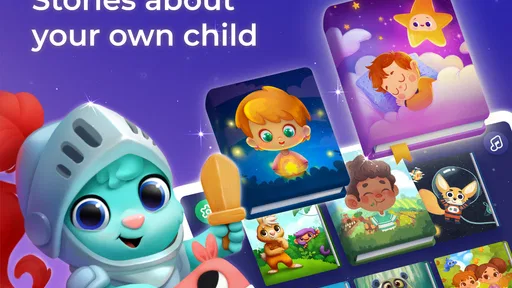
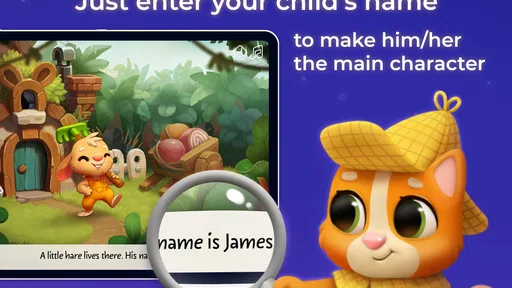
The first thing that struck me about Little Stories: Bedtime Books is how beautifully crafted each story is. The narratives are engaging, and the illustrations are nothing short of enchanting. It feels like each page is a window into a whimsical world. As you read, the app allows you to personalize the stories by inserting your child’s name, making them the hero of their own adventures. That small change can give a child a reason to pay closer attention, especially when they hear their own name in the story.
For a practical evening routine, I’d choose the story before opening the app in front of a tired child. That avoids turning bedtime into a long browse through options. Then I’d sit together, let the child look at the pictures, and decide whether to read aloud or use the audio. The audio can help when a parent is low on energy, while reading together leaves more room to pause, ask what a character might do, or let the child point out something in an illustration.
A useful way to keep the experience calm is to make the story the final screen-based activity, rather than letting it become a doorway to unrelated browsing. An adult can select the tale and stay nearby, then put the device aside when the story ends. This handoff matters: the app supplies the material, but the parent still sets the pace and helps the child transition from listening to sleep.
Simple navigation, with an adult setting the pace
Let’s talk about the interface for a second. The app is incredibly easy to navigate. Even if you’re not particularly tech-savvy, you’ll find it a breeze to select stories, navigate between pages, and explore different features. The design is clean, with intuitive controls that ensure a smooth experience. I appreciate how the developers have focused on making it accessible for both adults and children.
Easy navigation is especially helpful when a child wants to choose a story but is already tired. I’d offer two options rather than hand over the whole selection process: that gives a child some agency without inviting an extended hunt. If the child is old enough to tap through pages, an adult can still stay in charge of when the session starts and ends. That balance is more useful at bedtime than handing over a device and hoping the child stops independently.
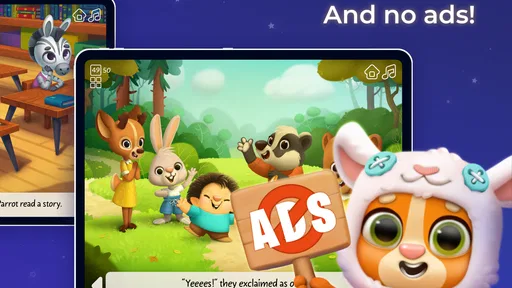
The app is a parenting product from Diveo Media - Story Books for Kids, and it is free to install, with in-app purchases listed from $0.99 to $59.99 per item. I would check what is available without paying before making it part of a nightly routine. A free download is convenient for trying the experience, but it does not mean every story or option will necessarily be free. Since purchases can vary, I’d review the in-app choices with an adult rather than letting a child explore purchase screens.
Worth Reading Before You Choose

Flipboard Shows What News Apps Must Do Beyond the Feed

Switching to Android Auto Means Rethinking Your Driving Routine

Google Calendar Makes a Crowded Week Easier to Manage

Ludo King Makes the Most of the Minutes Between Plans

Baby Panda World Brings Quick Play to Modern Phones, but Its Game Library Feels Busy

ESPN’s Live Game View Makes Following Close Games Easier
Choosing a tale that fits the child and the moment
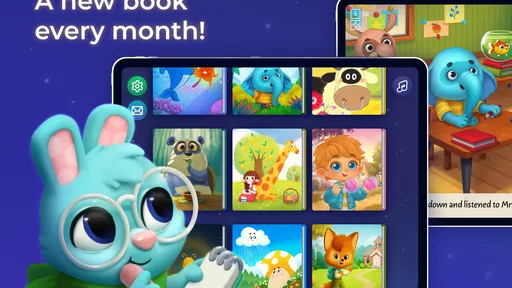
One of the standout features of this app is the sheer variety of stories it offers. Whether your child loves tales of adventure, fantasy, or learning about new cultures, there’s something here for everyone. The collection is regularly updated with new stories, ensuring that bedtime never gets boring. It’s a treasure trove of narratives that can cater to different moods and interests.
Variety is most useful when it helps a parent match the story to the child, not when it encourages endless selection. A lively adventure may suit a child who needs help shifting attention away from the day, while a quieter story can be a better fit when the goal is to settle down. I’d also let a child revisit a favorite instead of treating repetition as a problem; familiar stories can make the routine feel dependable, and the parent does not need to find something new every night.
Compared with a printed picture book, an app can be more convenient when a family is away from home or when carrying books is awkward. A physical book, though, avoids screen light and taps, and it makes it easier to share a page without worrying about device controls. Compared with a general video or entertainment app, a storybook format keeps the activity centered on a narrative. For families who want a screen-free bedtime, or who prefer to choose every book from a physical shelf, a regular library or their own collection will be a better fit.
Interaction and audio: useful when they support the story
What sets this app apart are the interactive elements embedded within the stories. As you read, your child can interact with the characters or scenes, bringing the story to life. This not only keeps them engaged but also helps in developing their reading skills. It’s a great blend of entertainment and education, wrapped up in one neat package.
I’d use those interactions selectively. A child can tap a scene when curiosity is high, then return to the words instead of tapping every visible element. That gives the child a small role in the story without letting interaction crowd out listening or conversation. For a younger listener who is not reading independently yet, an adult can point to what is happening and invite the child to describe it. For a beginning reader, taking turns with a line or a page may make the app feel more like shared reading than passive listening.
The audio option also offers a practical handoff between adult and app. It can be useful when a caregiver needs a quiet moment or when another adult is putting a sibling to bed, but I would not assume audio alone creates the same connection as sitting together. If your child tends to become more alert when tapping and exploring, a spoken story with fewer interruptions—or a printed book—may work better. The most effective choice depends on whether that particular child finds the interactive elements calming or stimulating.
Offline preparation and family handoffs
Another feature worth mentioning is the offline access. We all know how frustrating it can be when you’re without internet and your child is craving a bedtime story. With this app, you can download stories and access them anytime, anywhere. It’s a lifesaver for those long trips or unexpected internet outages.
The practical tip is to prepare before the moment you need the story: download a choice while you have a connection, then check that it opens before travelling or settling in somewhere with unreliable internet. That turns offline access into a backup plan rather than something you discover is needed after the connection has already gone. It can help on a visit to relatives or during a wait away from home, though I would still bring a paper book if a dependable screen-free option matters.
It can also make handoffs between caregivers smoother. If one adult starts the bedtime routine and another takes over, agreeing on the chosen story and stopping point avoids restarting the selection process. The app does not remove the need for that family coordination; it just gives everyone a shared story to work with. In my view, that is a more realistic benefit than expecting any app to manage the whole routine by itself.
Parent oversight, comfort, and age fit
As a parent, I’m always concerned about what my child is exposed to. Thankfully, Little Stories: Bedtime Books gives you the ability to monitor and control the content. You can select which stories are available for your child, ensuring that the content is appropriate. Plus, the customization options allow you to adjust the reading speed and background music, tailoring the experience to your child’s preferences.
I’d take a few minutes to review the available stories before letting a child choose independently. That makes the selection feel open to the child while keeping the adult responsible for what is on offer. Reading speed and background music can be worth adjusting when a child finds narration too quick or music distracting; small changes may matter more than adding another story. If music keeps a child alert, turning it down or choosing a quieter reading setup is a sensible trade-off.
The app is rated Everyone, and its parenting focus makes it most naturally suited to families looking for stories for young children. Still, an age label cannot tell a parent whether a particular tale suits an individual child’s temperament or interests. I’d preview unfamiliar stories and see how the child responds, especially if they are sensitive to certain themes or easily overstimulated near bedtime. It is less compelling for older children who want longer, more complex reading, or for families seeking a full literacy course rather than story time.
Cost, expectations, and where the routine can snag
Now, let’s address the elephant in the room – the cost. The app operates on a subscription model, which may be a downside for some. However, considering the quality of content and the regular updates, I find it to be a worthwhile investment. There’s also a free trial period, so you can test the waters before diving in.
I would be cautious about treating a subscription or trial as confirmed, because the purchase structure is described as in-app purchases rather than a single guaranteed plan. Before spending, I’d look at the current purchase options in the app and decide whether the stories a family actually wants justify the cost. The app is free to install, but purchases range from $0.99 to $59.99 per item, so it is sensible to keep an adult involved in any buying decision. If a child only asks for one familiar story, a library book may be the more economical choice.
The app’s audience response is encouraging: it has a 4.8 average from around 27,000 ratings and over 5 million installs. Those figures suggest many families have found it useful, but they cannot guarantee that its style will suit every child. Little Stories is rated for Everyone, first appeared on December 17, 2017, and its current version is 5.4.3, with Android 8.1 as the minimum OS requirement. I’d check device compatibility before planning around it, particularly on an older phone or tablet.
The routine can also snag if browsing, tapping, or negotiating over purchases keeps a child awake. In that case, the solution may be to choose the story earlier, limit the choices, or switch to a paper book—not to add more app features to the bedtime process. Families that want a large, hands-off entertainment library may prefer a broader reading service, while those who value a guided story session for a young child may find this more focused approach easier to manage.
Who I’d recommend it to
In conclusion, Little Stories: Bedtime Books has genuinely impressed me with its approach to children’s storytelling. It’s more than just an app; it’s a gateway to adventures that can encourage imagination and shared reading. If you’re looking for a way to make bedtime stories easier to choose and more engaging for a young child, it is worth exploring. I’d recommend trying it with an adult nearby, keeping the selection simple, and seeing whether the audio, illustrations, and interaction help your child settle.
I would skip it if you need a strictly screen-free routine, if your child gets more excited by tapping than by listening, or if you want a comprehensive reading curriculum. For families who do use a device at story time, its strongest role is as a ready source of illustrated tales that a parent can shape to the evening: choose the story, share it, and close the device when the story is done. That keeps the app in its proper place—as a helpful part of bedtime, rather than the bedtime routine itself.
Pros
- Beautiful
- engaging illustrations
- Interactive storytelling elements
- Wide variety of stories
- Easy-to-use interface
- Encourages reading habits
Cons
- Limited free content
- Requires internet for updates
- No offline mode available
- Some stories lack depth
- In-app purchases can be pricey
FAQs for Little Stories: Bedtime Books
What age group is Little Stories: Bedtime Books suitable for?
Little Stories: Bedtime Books is designed for children aged 3 to 8 years. The app offers a variety of stories tailored to different age groups within this range, ensuring engaging content that is age-appropriate and helps in the development of language and cognitive skills.
Are there any educational benefits to using Little Stories: Bedtime Books?
Yes, Little Stories: Bedtime Books is crafted to enhance vocabulary, comprehension, and listening skills. The interactive nature of the stories encourages young readers to engage actively, fostering a love for reading. It also helps in developing imagination and moral understanding through diverse story themes.
Does the app require an internet connection?
Little Stories: Bedtime Books requires an internet connection for downloading new stories. However, once downloaded, the stories can be accessed offline, making it convenient for parents to entertain and educate their children on the go, without worrying about connectivity issues.
Is Little Stories: Bedtime Books free to download and use?
The app offers a free version with limited stories available. To access the full library and additional features, users can opt for in-app purchases or a subscription model, which provides unlimited access to all stories and any new additions to the collection.
Can I personalize the stories in Little Stories: Bedtime Books?
Yes, one of the unique features of Little Stories: Bedtime Books is the ability to personalize stories. Parents can customize characters' names and appearances, allowing children to feel more connected and see themselves as part of the story, enhancing the immersive experience.


